
Stanford's Practical Guide to 10x Your AI Productivity | Jeremy Utley

Stanford’s AI & Creativity expert Jeremy Utley has a simple but powerful message: how you talk to AI makes all the difference. It’s not about coding tricks or technical know-how—it’s about giving better prompts.
I pulled together five short clips where Utley breaks down practical ways to turn AI from a generic assistant into something closer to a creative teammate. You’ll see how to get it to think out loud, learn from your best examples, ask you the right questions before it starts, take on specific roles, and even role-play tough conversations.
Think of these as small shifts with big payoffs—techniques that help you get clearer, sharper, and more human-like responses from AI.
Chain of Thought Reasoning
"walk me through your thought process step by step" - this simple addition to any prompt dramatically improves output quality and gives you visibility into its reasoning process.
Few-Shot Prompting
Include 3-5 examples of your best work directly in prompts to make AI imitate your specific style instead of generic internet content. Add a contrasting bad example with "follow this good example and steer clear of this bad example" to set clear boundaries on what to avoid.
Reverse Prompting
Add "before you get started, ask me for any information you need" to your prompts to ensure accuracy - AI will request missing details instead of making up placeholder data (fake or made-up information), transforming it from a guesser into a collaborative partner.
Assigning a Role to AI
Start prompts with “You are a [role]…” (e.g., teacher, Dale Carnegie, philosopher). This narrows the AI’s knowledge pathways, shaping tone, style, and problem-solving approach.
Roleplaying
Use AI in three roles—profiler (learns the other person’s style), *character (plays them in the dialogue), and feedback coach (critiques your performance).
*you need to create a custom GPT to play the character in your role-play. See below on the steps to creating your own GPT.
To watch the full video, click here.
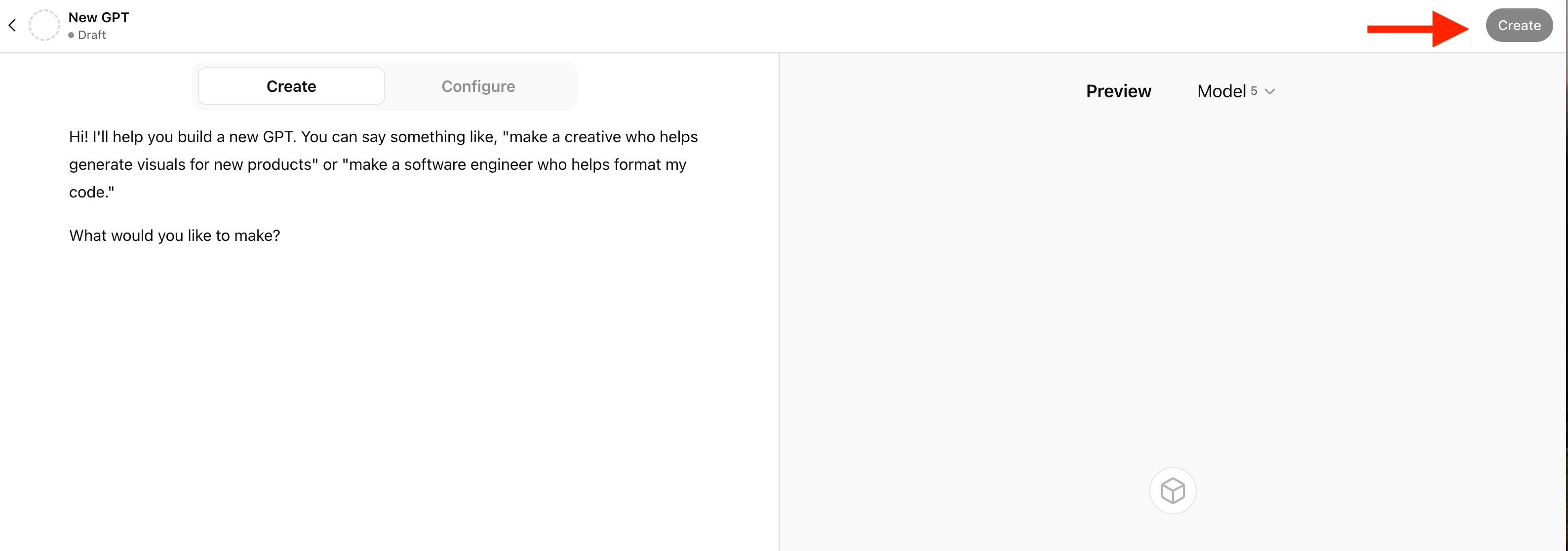
To create your own GPT using ChatGPT, follow these three steps.
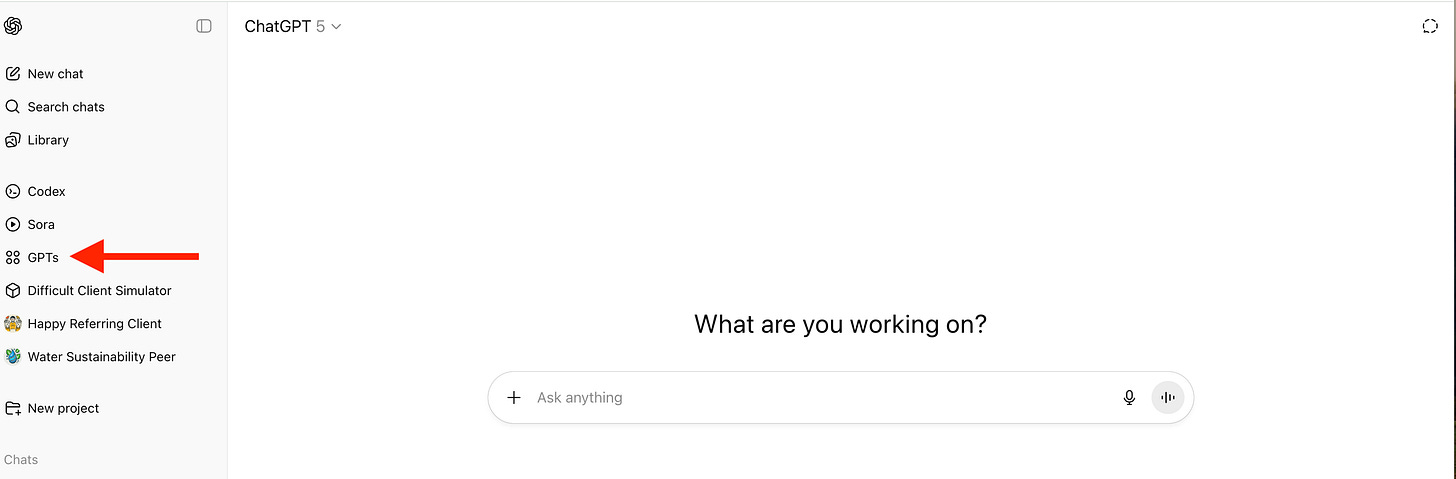
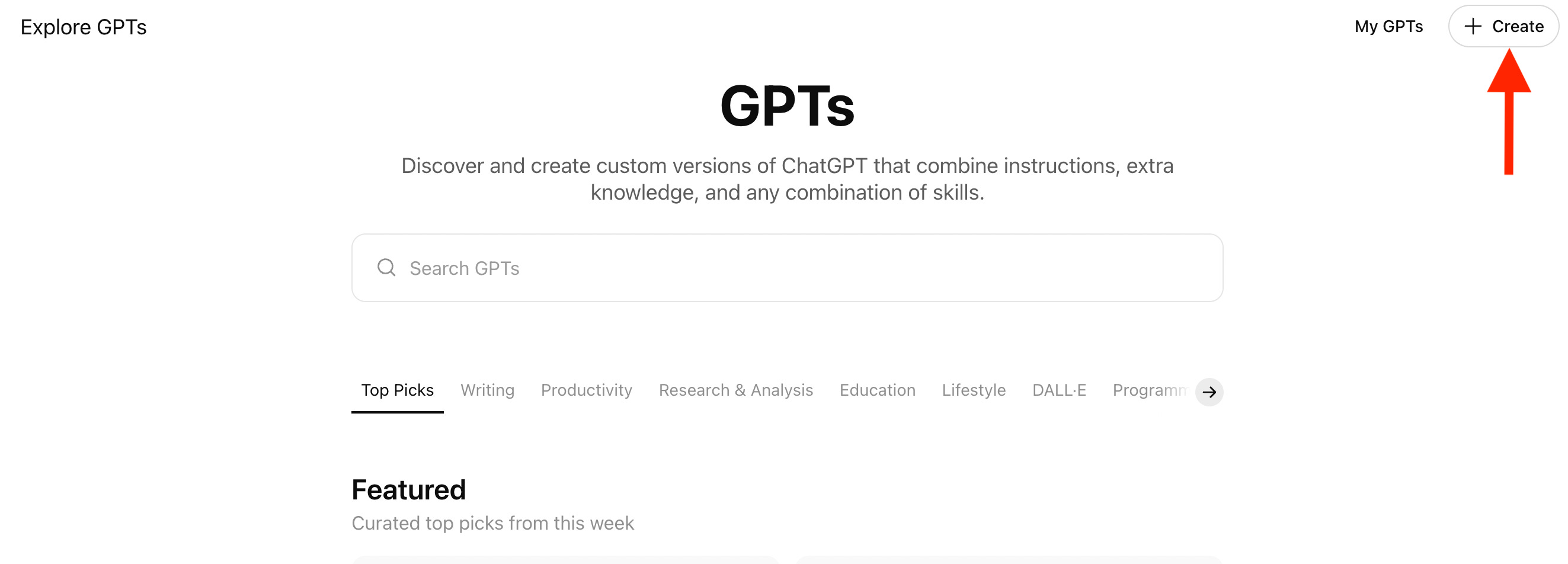
Open ChatGPT on your browser, and click GPT’s (shown in the left side menu)
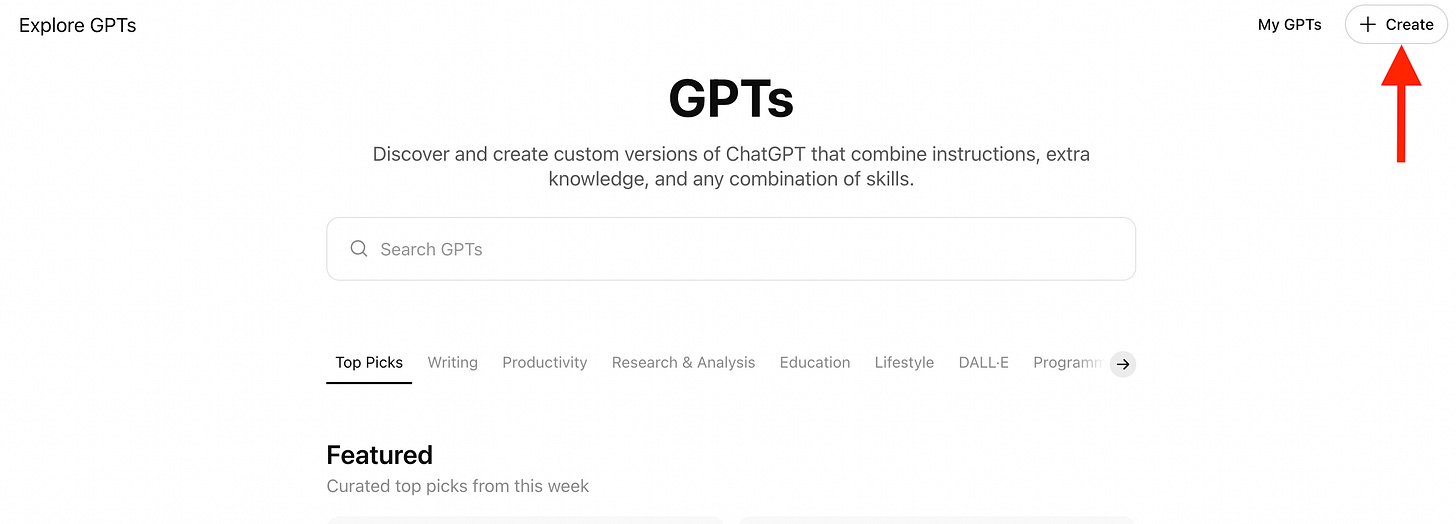
Click on Create
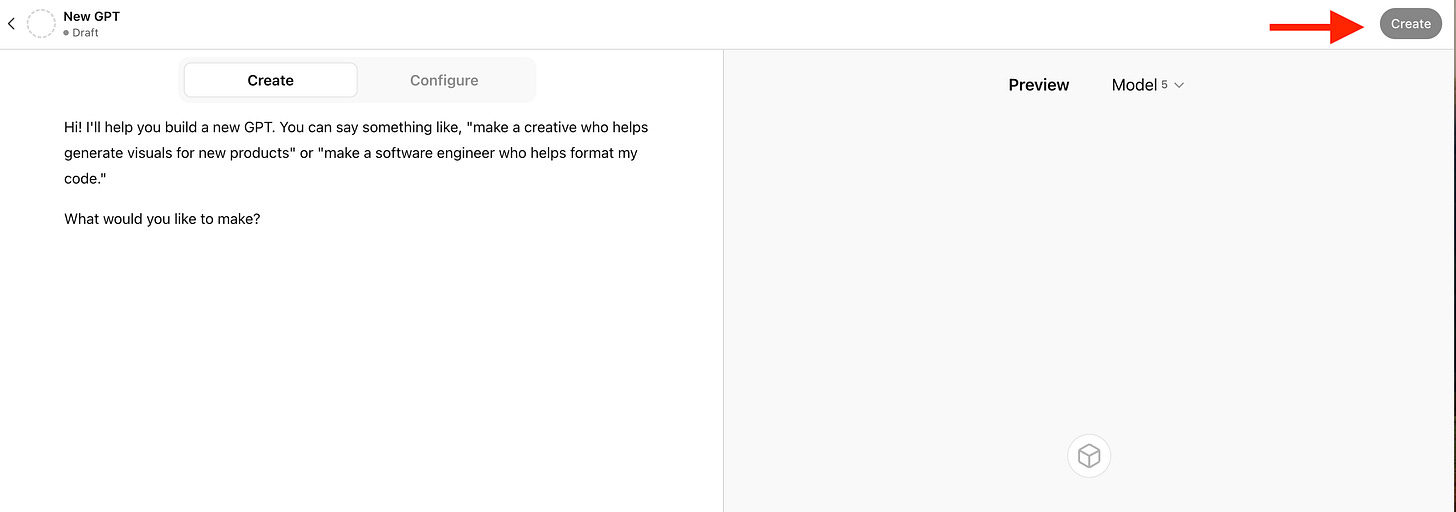
Give your prompt(s) to create a character and click create.
Start role-playing with your newly created GPT using the ChatGPT app on your mobile phone (use voice function).
Golden Nugget
AI gets smarter when you guide it better—treat it like a teammate, not a black box. Clear prompts, examples, roles, and questions = clearer, sharper, more human results.
Discussion Questions
What's the one thing you use AI for most often in your daily work or personal life?
When you hear Jeremy Utley say, ‘Right now, the primary limitation is the limits of human imagination’ and ‘What is possible is just adjacent to what is,’ what do these ideas mean to you?
Which role (coach, critic, teammate, customer, boss) would be most useful for AI to play in your work right now? And how could roleplaying a tough conversation with AI help you prepare for real-life situations?
Memorable Quotes
“Context engineering is just prompt engineering on steroids.” (1:37)
“When you get an AI to think out loud, you meaningfully improve the outputs of the model.” (8:04)
“An AI is an exceptional imitation engine. If you don't give an example, it imitates the internet.” (11:17)
“Real examples are far more powerful than adjectives.” (12:12)
“It's a great way to basically get a flight simulator for a difficult conversation.” (22:36)
“Right now, the primary limitation is the limits of human imagination.” (23:08)
“What is possible is just adjacent to what is.” (23:52)